Everthing About Customizing Your Linux Distro Awsome Themes For Linux Cool Icons How Can WE Forget About Conky Penetesting With Kali Linux
Showing posts with label Themes. Show all posts

Snow Sabre icons for Ubuntu/Linux Mint/other Ubuntu derivatives

Tuesday, 1 October 2013 0 comments
Snow Sabre icons for Ubuntu/Linux Mint/other Ubuntu derivatives:

Install Snow Sabre icons in Ubuntu 13.10/13.04/12.10/12.04/Linux Mint 15/14/13/Any Ubuntu & Mint version/and other Ubuntu derivatives

Snow sabre are dark icons. It's folders originally designed by minimamente then Naf71 from deviantart ported these icons for Linux. These icons include two sets Gray version and Dark version. Dark icon set can be used with light themes but Gray version can be used with any kind of theme whether it's light or dark. In this icon set folders describe itself what inside of it.
Numix and Delorean Dark themes used in screenshots. Also checkout icons collection.

You can use Unity Tweak Tool, Gnome-tweak-tool or Ubuntu-Tweak to change themes and icons.


To install Snow Sabre icons in Ubuntu 13.10/13.04/12.10/12.04/Linux Mint 15/14/13/other related Ubuntu derivatives open Terminal (Press Ctrl+Alt+T) and copy the following commands in the Terminal:
Terminal Commands:
sudo add-apt-repository ppa:noobslab/icons
sudo apt-get update
sudo apt-get install snow-sabre-icons


To install Snow Sabre icons in any Ubuntu/Linux Mint/Debian/Previous Ubuntu derivatives open Terminal (Press Ctrl+Alt+T) and copy the following commands in the Terminal:
Terminal Commands:
wget -O snowsabre-NoobsLab.com.deb http://goo.gl/DfsYvB
sudo dpkg -i snowsabre-NoobsLab.com.deb
rm snowsabre-NoobsLab.com.deb


That's it
Sn1p3r

A new Icon set Aery for Ubuntu/Linux Mint/other Ubuntu derivatives

0 comments

A new Icon set Aery for Ubuntu/Linux Mint/other Ubuntu derivatives


Aery icons are based on Elementary icons but most of the icons are created by Rho-Con-Linux. A beautiful and complete icon set for Linux distributions. This icon set is specially made for Elementary OS but it can be used with any Linux and with all kind of dark or light themes. It contains more than 6500+ icons in different sizes. Also checkout icons collection.
You can use Unity Tweak Tool, Gnome-tweak-tool or Ubuntu-Tweak to change icons.


To install Aery icons in Ubuntu/Linux Mint open Terminal (Press Ctrl+Alt+T) and copy the following commands in the Terminal:
Terminal Commands:
sudo add-apt-repository ppa:noobslab/icons
sudo apt-get update
sudo apt-get install aery-icons


To install Aery icons in Debian/Older Ubuntu or Linux Mint version open Terminal (Press Ctrl+Alt+T) and copy the following commands in the Terminal:
Terminal Commands:
wget -O aery-NoobsLab.com.deb http://goo.gl/lGV9MF
sudo dpkg -i aery-NoobsLab.com.deb
rm aery-NoobsLab.com.deb


That's it
Sn1p3r

Moka icon theme for Ubuntu/Linux Mint/Other Ubuntu Derivatives

1 comments

Moka icon theme for Ubuntu/Linux Mint/Other Ubuntu Derivatives


To install Moka icon set in Ubuntu 13.10/13.04/12.10/12.04/Linux Mint 15/14/13 open Terminal (Press Ctrl+Alt+T) and copy the following commands in the Terminal:
Terminal Commands:
sudo add-apt-repository ppa:snwh/moka-icon-theme-daily
sudo apt-get update
sudo apt-get install moka-icon-theme
sudo apt-get install moka-icon-theme-blue
sudo apt-get install moka-icon-theme-dark


To install Moka icon set in Any Ubuntu/Linux Mint open Terminal (Press Ctrl+Alt+T) and copy the following commands in the Terminal:
Terminal Commands:
wget -O moka-icon.deb http://goo.gl/6eCp4H
wget -O moka-icon-blue.deb http://goo.gl/81Gztk
wget -O moka-icon-dark.deb http://goo.gl/JTEUFe
sudo dpkg -i moka-icon.deb moka-icon-blue.deb moka-icon-dark.deb
rm moka-icon.deb moka-icon-blue.deb moka-icon-dark.deb


That's it
Sn1p3r
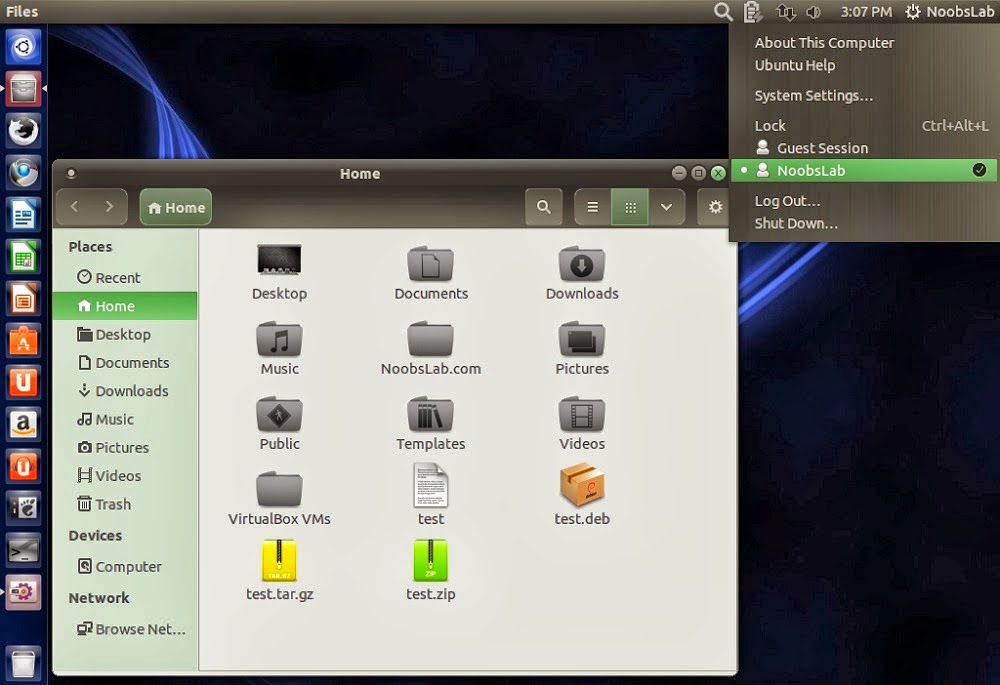
High Favourite Conky: Install Net-Conky

Monday, 30 September 2013 0 comments


Install Conky in Ubuntu/Linux Mint open terminal (Press Ctrl+Alt+T) and copy the following commands in the Terminal:

Most Popullor Conky Ever: Install Malice-Tab Conky

0 comments

Install Malice-Tab Conky in Ubuntu/Linux Mint/Debian/and Ubuntu derivatives


Installation methods: wget method or PPA method


Install Conky in Ubuntu/Linux Mint/Debian

Ever Green Ambiance Crunchy themes updated for latest GTK

Monday, 23 September 2013 0 comments
Install Ambiance-Crunchy themes in Ubuntu 13.10 Saucy/Ubuntu 13.04 Raring/Ubuntu 12.10 Quantal/Ubuntu 12.04 Precise/Linux Mint 15/14/13 (GTK 3 + Gnome Shell)

Ambiance-Crunchy themes are inspired by original Ubuntu Ambiance and Radiance themes. You can apply these themes to Gnome-Shell, GTK, and Cinnamon. Author made these themes with different colors. Ambiance-Crunchy themes set has four different variants and these are compatible with GTK 3.4/3.6/3.8, Gnome Shell 3.6/3.4/, XFCE, Openbox, LXDE and Cinnamon 1.6.
This update brings fixes for cinnamon and GTK themes, Now this theme set is compatible with all Cinnamon and GTK versions.

1) Ambiance-Crunchy-Blue:
ambian


2) Ambiance-Crunchy-Green:
ambiance crunchy


3) Ambiance-Crunchy-Gray:
ambiance crunchy


4) Ambiance-Crunchy-Orange:
ambiance crunchy


5) Ambiance-Crunchy-Cinnamon Versions:


Snow Sabre icons used in screenshots.
You can use Unity Tweak Tool, Gnome-tweak-tool or Ubuntu-Tweak to change themes.

To install Ambiance-Crunchy themes in Ubuntu/Linux Mint open Terminal (Press Ctrl+Alt+T) and copy the following commands in the Terminal:
Terminal Commands:
sudo add-apt-repository ppa:noobslab/themes
sudo apt-get update
sudo apt-get install ambiance-crunchy


That's it
That's it
 
Noobs Guide To Linux © 2011 | Designed by Bingo Cash, in collaboration with Modern Warfare 3, VPS Hosting and Compare Web Hosting